



































A Word from our Customers











Mechanical Engineer
CADLink has proven to be a game changer, successfully streamlining BOM entry and part creation processes and dramatically reducing the likelihood of any data errors.
It is important to note that every company has unique processes that are molded by both their culture and product offerings. The QBuild team has displayed an exceptional level of responsiveness and adaptability in tailoring their software to meet our intricate workflows. In the year that we have been working with CADLink, we have achieved a nearly complete elimination of manual entry for two additional teams within the company through the implementation of additional logic. Without a doubt, this solution has been a substantial benefit to our company.

CADLink is a great tool for importing items and BOMs from SolidWorks into the ERP. It is a HUGE upgrade over the ridiculously time-consuming manual data entry processes. The support team has been great to work with. They're extremely knowledgeable and helpful, and they make requested changes and customizations very quickly. To be completely honest, CADLink is about the only thing that has made our ERP transition somewhat bearable.

I always enjoy working with the QBuild team. With their very clear implementation plans and dedicated people, they always deliver effective software solutions on time. Post implementation, their support is top-notch, both timely and effective. As we’ve had so few issues with the CADLink product and it has become so engrained in our process, I sometimes forget that we even have it (and that’s a good thing!).

My experiences with QBuild have been very good. QBuild is willing to listen and take advice from their customers to make CADLink better. Over the years, QBuild has made CADLink more standard and configurable, greatly reducing implementation time.

I have nothing but praise about my interaction with CADLink. Of all my dealings with software developers in the past, they are one of, if not the best companies that I have dealt with. Their knowledge of the software along with their promptness in coming up with solutions was second to none.
I have nothing but praise about my interaction with CADLink. Of all my dealings with software developers in the past, they are one of, if not the best companies that I have dealt with. Their knowledge of the software along with their promptness in coming up with solutions was second to none.
I have nothing but praise about my interaction with CADLink. Of all my dealings with software developers in the past, they are one of, if not the best companies that I have dealt with. Their knowledge of the software along with their promptness in coming up with solutions was second to none.

We chose CADLink because we saw in it the capability of adapting to our business processes plus the fact that it allows to handle bill of material data and operations in one simple interface. Now, I don’t need to worry about data consistency between my systems anymore.
Having all the materials available in the shop floor allow us to increase the operations speed allowing us to reduce our products delivery times which translate into happy customers.
QBuild's integration with our ERP via CADLink was seamless. They were helpful and responsive to any needs during our transition. CADLink has drastically improved the link from engineering to purchasing in our facility.
CADLink has been a great company to work with. Whether it involved working with their developer, account manager, and even their President, we've had beneficial, collaborative discussions that provide value in our work processes.
They have teamed up with us to enhance the standard product by listening to our feedback as well as customizing the product to meet our internal needs specifically. They've helped us automate information flow that benefits our designers as well as other downstream stakeholders. In turn, their support is allowing us to be more efficient and accurate with the designs we release to our ERP system.

I have never worked with a more flexible and responsive software organization than QBuild. Top notch people that have built a great product.

QBuild took the time to understand the way we work and were able to provide you the right data transfer solution. Our CADLink now sets Epicor values by default for all parts, populates Epicor user-defined fields, stores PDF file path storage in Epicor, and sets constrained material selection by default while saving new parts.

Using CADLink has saved time by allowing us to make changes to our part data without needing to go through multiple programs, as well as informing us of any inconsistencies that may have otherwise been time-consuming to locate and correct.

At Phoenix LLC, QBuild’s CADLink is at the center of our bill of materials management. Because we design & build many prototypes with long lead time parts on aggressive schedules, we source materials in parallel with design activities. This coupled with our typical bill being over 3000 line items makes the automated bill syncing that CADLink does essential.

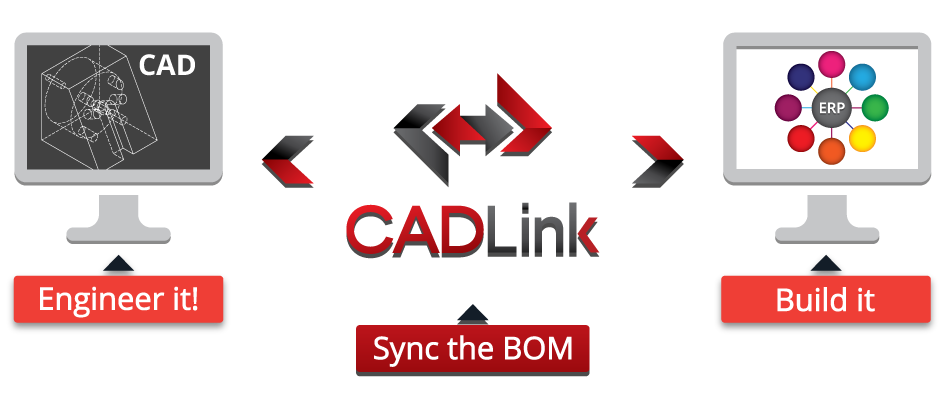
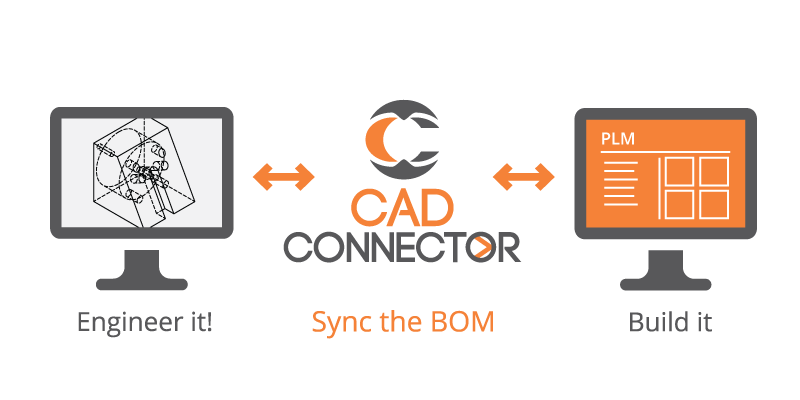
CADLink is an amazingly intuitive and easy to use interface seamlessly connects your CAD and ERP systems.
The ability to upload large assembly model metadata including new part numbers and Part Master data within seconds is incredible. With added customization, possibilities to manipulate ERP field data automatically through created Field Mappings allows any number of values tied to part data to be instantly uploaded. Anyone with knowledge of these process will come to truly appreciate the power and ease of an application that stands above the rest.

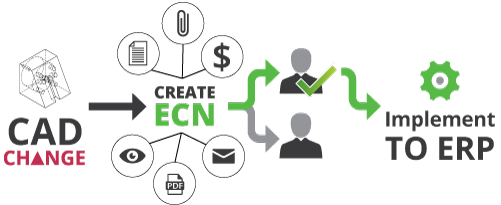
CADLink is an amazing software with user friendly interface. It seamlessly transfers our multilayered BOMs from EPDM to NAV Business Central. It manages revision changes very well. Additionally, It streamlined our planning, purchasing and manufacturing processes. The team at QBuild provided custom solutions to many requests at the implementation phase with numerous live sessions. We have CADLink for over 6 months now, with no problems and excellent customer support. Keep up the good work!

We discovered that CADLink is the perfect tool to enable the seamless transfer of any BOM directly from CAD software into our ERP system. Working with CADLink has been a real pleasure.
It eliminates the error‐prone manual transposition of important design data. The user interface is very intuitive, and the potential for customization seems limitless.
But I am most impressed with the customer service at QBuild. The CADLink integration team has been very responsive to our every need, offering initial integration support, orientation sessions, and continued assistance to help my team become proficient with the tool.

CADLink is a great software that interfaces perfectly with SOLIDWORKS. The possible customization provided by the CADLink Team works perfectly. Support in the event of issues is really efficient. I had a problem, and it was resolved in minutes, and it wasn't even coming from CADLink but from SOLIDWORKS. Thank you to the CADLink team for the efficiency and
professionalism.
Process Engineer
QBuild has played an important role in our ERP integration and day-to-day operations at CIT. With their CADlink and MBoM software, we have improved productivity, reduced errors, and streamlined the release of BOM's and methods to our production team. Their software provides a user-friendly interface that is intuitive and easy to use. Per our request, they provided many customizations that eliminated cumbersome part setup in ERP in a friendly and timely manner. CIT highly recommends QBuild to anyone looking for a reliable and efficient solution to maintain ERP BOM's and methods.

ERP System Analyst
Working with QBuild during the implementation of Epicor made what would have been a daunting transition utilizing CADLink, quite simple. They promptly responded to our request and derived a customized program that incorporated our extensive and ever-growing product line. The workflow between CADLink and Epicor is smooth and seamless and accommodates a vast array of BOM. Thank you to QBuild for saving our Drafting Department countless hours of laborious tasks.

Director of Engineering
QBuild has been essential in designing effective solutions that sync our CAD & ERP product Bill of Materials. Implementing a new ERP system can be a challenge and QBuild’s CADLink integration team has helped make that transition effortless. QBuild’s timely response and expertise help create a enjoyable working experience.

Controller
Coming into our new ERP system, Epicor, there were so many things to think about and learn. Partnering with QBuild to help get us through the CADLink integration was extremely beneficial. The team was very knowledgeable, organized, and professional. They helped us with a couple of customizations as well to make CADLink fit better with some of our standard processes. Overall it was a great experience and I would highly recommend them for future services.